Investigate the Kobra 3 Max V2 Combo for large PLA or PETG projects that need its extra build space. Investigate the Kobra S1 Max when an enclosed, actively heated process is more important and your parts fit its smaller cube. These printers address different constraints; the largest advertised volume does not make one the better choice for every large project.
Source check: October 9, 2026. This is a researched comparison of manufacturer documentation, not a hands-on review. Our recommendations are interpretations of those specifications for the examples below. We have not measured print quality, reliability, noise, or speed. Global-store listings can select different regional plugs and bundles; confirm your delivery country and complete checkout total. We do not quote a current US purchase price here.
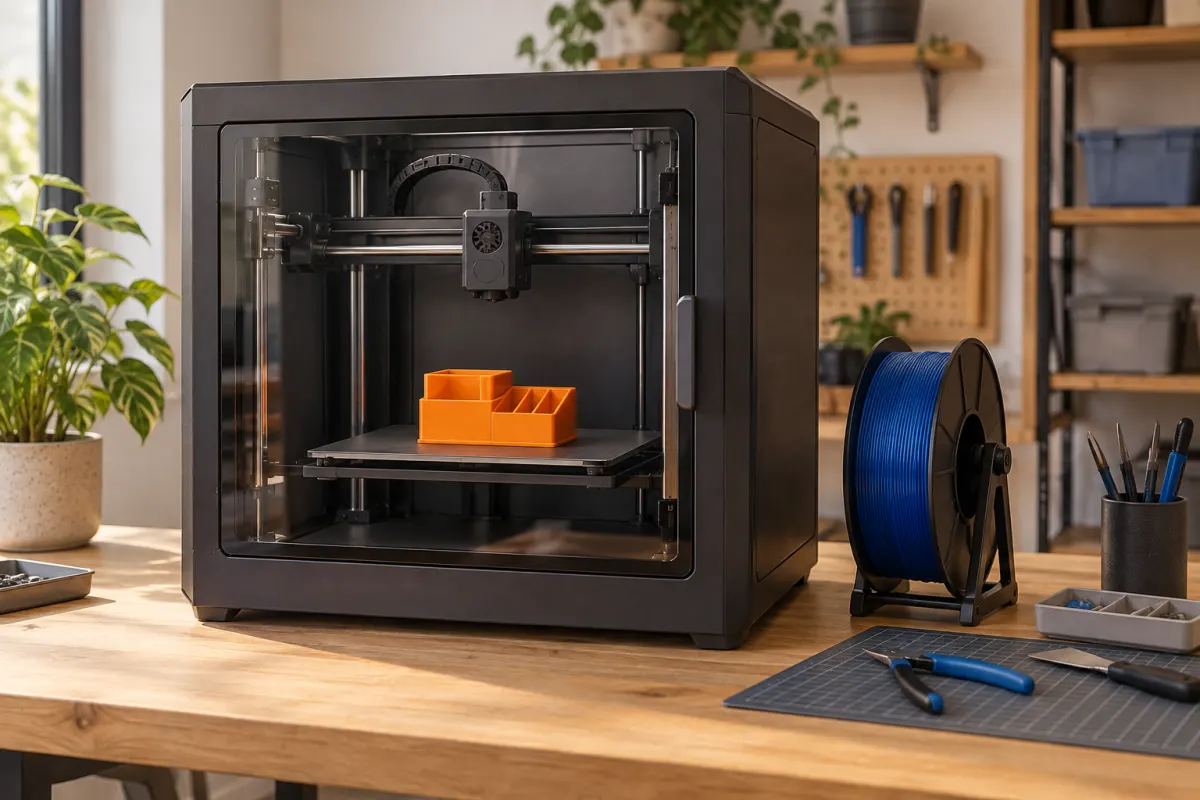
Extra build space versus an enclosed heated chamber
| Item | Kobra 3 Max V2 Combo | Kobra S1 Max printer |
|---|---|---|
| Nominal build volume | 420 × 420 × 500 mm | 350 × 350 × 350 mm |
| Format | Open gantry printer | Enclosed CoreXY |
| Maximum nozzle temperature | 350 °C | 350 °C |
| Maximum bed temperature | 90 °C | 120 °C |
| Active chamber heating | Not a listed feature | Up to 65 °C |
| Base purchase compared here | Combo with one ACE 2 Pro | Printer; feeder sold separately |
Values come from the Kobra 3 Max V2 Combo specifications and Kobra S1 Max listing. Compare the correct V2 model, not the older Kobra 3 Max. Match feeder contents before interpreting a difference between their checkout totals.
Neither table column measures finished-part strength or surface quality. These are capabilities to investigate against a project, not laboratory results from 3D Adapt.
Test a genuinely large part at the intended scale
Take a hypothetical 380 × 300 × 180 mm prop section in its intended flat orientation. It exceeds the S1 Max's nominal X dimension by 30 mm. On the Kobra 3 Max V2, a 5 mm brim on each side produces a 390 × 310 mm footprint, within the nominal bed before other clearances.
That specific part gives the larger open printer a meaningful advantage. A 300 × 240 × 150 mm section fits within both nominal envelopes before preparation, so its material and workflow become the stronger purchase criteria.
Check the actual file in each slicer profile. A bounding box is a starting point, not proof of successful placement after supports, a tower, and clearances. Do not shrink a wearable component merely to fit a printer without checking that it still fits the wearer.
Equal nozzle limits do not mean equal material workflows
The V2's material FAQ lists PLA, PETG, and TPU 68D and discourages PA and PC. Do not override that guidance because the hotend has a high temperature limit. The rest of the machine and the environment are part of the supported process.
For the S1 Max, work backward from the exact filament grade's documented requirements. Check drying, nozzle wear, bed adhesion, chamber conditions, and room setup. A general engineering-filament label does not establish that every grade in the family will suit the machine.
For ordinary large decorations, choosing PLA may keep the project simpler if the object will be used under suitable conditions. For a part whose service temperature or function requires another material, solve that requirement before selecting a printer around the biggest dimensions.
Read the V2 bundle FAQ before counting colors
The V2 page contains conflicting promotional color language. Its detailed specification and FAQ identify the standard Combo as four colors with one ACE 2 Pro; eight colors require another ACE 2 Pro and an eight-color hub. Use that explicit package description and confirm the selected contents before ordering.
For either machine, make a written inventory of printer, feeders, hubs, cables, and supplies. Then compare packages at the color count you actually need. A larger maximum expansion number is of little use if the next ten projects are single-color props.
Our ACE generation guide covers accessory checks. A pre-existing feeder should enter the budget only after its exact compatibility and required connections have been established.
Plan the operating area and access to large prints
For the open printer, measure the full bed travel and specified spool or feeder placement. For the enclosed printer, include door movement, lid access, maintenance access, and the space needed to lift out a large part. A product-page cabinet width is not a complete workspace plan.
Use cardboard or tape to mark both possible layouts on the actual bench. Walk through changing a spool, removing a plate, clearing a failed print, and reaching the power control. If the setup blocks your only finishing surface, include a second work area in the cost.
Follow the manufacturer's room and ventilation guidance for the chosen material. A cabinet does not by itself prove adequate control of emissions. The desk-space checklist can help turn this into a measured preparation task.
Compare full-size printing with smaller sections
A larger machine may remove a seam, but it can also make a failed late attempt expensive. Consider a hypothetical project using 800 g of model material and 200 g of supports and preparation. At an assumed $20 per kilogram, its initial material budget is $20. A failed additional 500 g consumes another $10.
Splitting is not automatically cheaper: connectors, extra walls, supports, and finishing can add costs. Use the PrusaSlicer Cut tool documentation to explore a division with a planned joint, then compare the sliced totals and assembly work.
For batches, test how many actual objects fit with required spacing. Nominal bed-area ratios cannot tell you the final count, and a larger batch does not guarantee a shorter total printing time. Keep the slicer's estimates separate from results you have actually observed.
Choose the limitation you need to remove
Shortlist the Kobra 3 Max V2 Combo when specific large files exceed the enclosed alternative and fit the V2's documented material workflow. Confirm that your workspace accommodates the complete moving-bed setup.
Shortlist the S1 Max when your parts fit and an enclosed heated process addresses a named material requirement. Compare it with a matching feeder package if automated colors are part of the plan.
Skip both if the only large object is a distant idea and the projects you will print this month fit a smaller machine. Also pause if your required material lacks a supported process on either. Our S1 versus S1 Max comparison offers a smaller enclosed option to consider.
The shopping link opens the overall Anycubic range. Select the exact V2 or S1 Max model, regional plug, and listed bundle after completing the fit and material checks.
For a wider comparison, browse Anycubic’s current printer range and apply the same size, material, workspace, and ownership checks.
We may earn a commission if you buy through links marked “paid link.” How our links work.
Browse Anycubic’s printer range (paid link)Sources & further reading
- Anycubic: Kobra 3 Max V2 Combo specifications and FAQ
- Anycubic: Kobra S1 Max specifications and compatibility FAQ
- Anycubic: ACE 2 Pro specifications and included accessories
- PrusaSlicer: Cut tool and assembly connectors
Manufacturer guidance can change. Check the instructions for your exact printer, build surface, and filament.