Keep a small set of exact replacements for parts you know how to identify and replace. A model-specific consumables kit can simplify routine stocking, while one compatible baseline hotend or nozzle may be useful when a shipping delay would interrupt regular projects.
Bambu’s Printer Maintenance Kit for A1 mini, P1 Series hotend options, and Prusa’s Brass CHT 0.4 mm Nozzle illustrate different purchases. They are not interchangeable alternatives. This guide compares documented contents and compatibility, without predicting failure rates or promising that a large spares drawer prevents downtime.
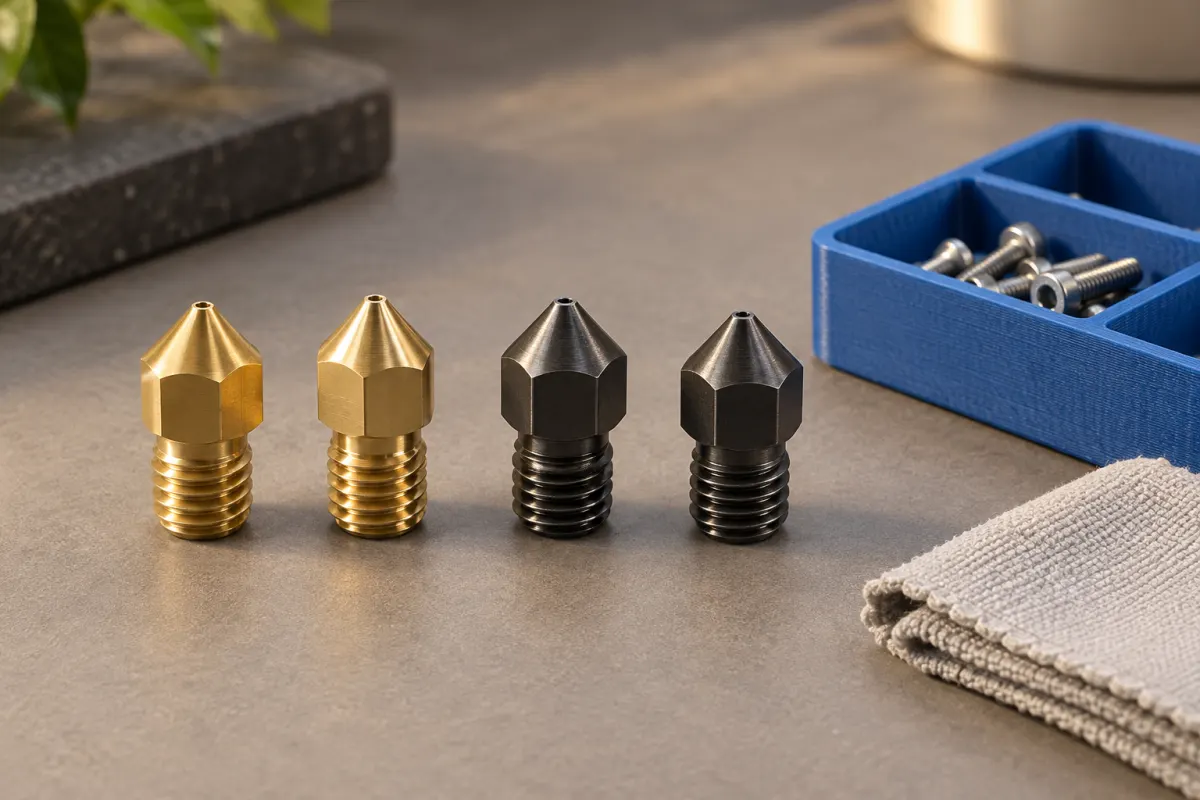
Separate consumables, replacements, and upgrades
| Product | What it addresses | Key limit |
|---|---|---|
| Bambu Printer Maintenance Kit — A1 mini variant | A collection of routine consumables for that model | It is not an all-parts repair kit or a spare hotend |
| Bambu Hotend — P1 Series | Bare-hotend and complete-hotend variants | Choose the correct package and installed nozzle specification |
| Prusa Nozzle Brass CHT 0.4 mm | Replacement nozzle option for explicitly listed Nextruder printers, including MK4S | Not a universal 0.4 mm nozzle or a complete heater assembly |
Use the A1 mini kit contents, P1 Series variant listing, and Prusa Nozzle compatibility list to identify the purchase. A spare restores a known setup; an upgrade may change the required profile and validation.
Make a one-page machine inventory
Record the printer's exact model, revision if relevant, installed hotend, nozzle diameter and material, build plate, and feed-system accessories. Include previous upgrades: the printer's original specification may no longer describe the machine on your desk.
Beside each proposed spare, save its part number, compatibility statement, replacement instructions, and where it will be stored. Photograph the package label when it arrives. A note saying “spare 0.4 nozzle” is ambiguous when you later own more than one printer.
Check the printer's original accessory box before buying duplicates. It may already contain useful consumables or tools. Keep supplied parts labeled rather than combining visually similar cutters, socks, or tubes into an unidentified bag.
Compare a kit with the parts you will actually use
The documented Printer Maintenance Kit for A1 mini includes items such as lubricants, PTFE tubes, cutters, wipers, and a silicone sock. Check the current contents and quantities against the selected kit; similar kits for other printer families are separate products.
Mark each item as needed now, plausible near-term stock, or unlikely to be used. A bundle is not automatically good value when most of it duplicates existing supplies. Conversely, one coordinated order may be convenient when you need several compatible consumables.
Current delivered prices and stock are unverified. Compare the final basket including shipping and necessary tools. Avoid filling a free-shipping gap with a part whose identity or replacement procedure you cannot verify.
Read what “complete hotend” means for that listing
Bambu’s P1 listing separates a complete hotend from a bare hotend package. Those options have different contents and replacement work. Read the selected variant and linked installation procedure together; the word “hotend” alone does not tell you which components must be transferred from the old assembly.
Check connectors, sensor and heater compatibility, nozzle material, diameter, and whether the required small hardware is included. Do not buy another printer family's assembly because its nozzle opening and headline temperature look the same.
A complete assembly may reduce the number of separate parts involved, but it does not make every repair appropriate without diagnosis. Stop and use manufacturer support when damage, wiring, or the required procedure falls outside the documented replacement task.
A matching example: keep the working profile available
Suppose a hypothetical P1 owner normally prints with one supported 0.4 mm setup and wants one spare. The useful comparison is the exact compatible 0.4 mm replacement package versus the same configuration as a complete assembly. A mixed pack of several nozzle diameters solves a different problem.
If the only spare is 0.6 mm, the owner may need a different supported profile and may lose small features in the sliced model. That can be a worthwhile optional capability, but it is not equivalent to immediately restoring the original job.
For an MK4S owner using a Brass CHT 0.4 mm Prusa Nozzle, record both the diameter and the high-flow type. A generic brass 0.4 listing is insufficient. Our nozzle buying guide explains the material and interface checks.
Maintain and diagnose before replacing parts
A missed maintenance step can consume spares without solving the cause. Prusa’s MK4/S maintenance instructions separate frequent checks from periodic work and specify which components need particular care. Follow your own printer's schedule and materials; do not apply one machine's lubricant routine to another.
For inconsistent extrusion, check the accessible feed path and profile using our diagnostic guide. For adhesion trouble, check the existing surface before ordering a replacement plate. A spare is useful after the failed part is identified.
Inspect delivered replacements while a return can still be addressed, then store them protected in their labeled packaging. Keep consumables clean and follow any storage instructions. Review the inventory after each repair instead of replacing every item on an arbitrary calendar.
Who needs stock, and who can order when needed?
Keep a small inventory if you print often, share a machine with others, or regularly wait a long time for compatible parts. Order as needed if printing is occasional and a delay is acceptable. Skip speculative electronics and large mechanical assemblies unless a documented problem or a clear service plan justifies them.
Start with the most useful exact replacement, then let actual maintenance history guide the next purchase. A short record of part, symptom, diagnosis, and resolution is more informative than the number of items in the drawer.
Sources & further reading
- Bambu Lab: Printer Maintenance Kit, A1 mini variant
- Bambu Lab: P1 Series hotend and complete hotend options
- Prusa: Brass CHT 0.4 mm Prusa Nozzle
- Prusa: regular maintenance for MK4/S and MK3.9/S
Manufacturer guidance can change. Check the instructions for your exact printer, build surface, and filament.