Replace a build plate when its condition or supported materials justify it, and buy the exact printer variant before choosing the coating. Bambu Textured PEI is a candidate for a textured finish and its documented material range. Cool Plate SuperTack is a more specific option for supported PLA and PETG jobs.
These are specification-based choices, not comparative adhesion tests. SuperTack is not a universal upgrade: its care instructions and material exclusions differ. This guide focuses on purchase compatibility rather than repeating our Prusa sheet comparison.
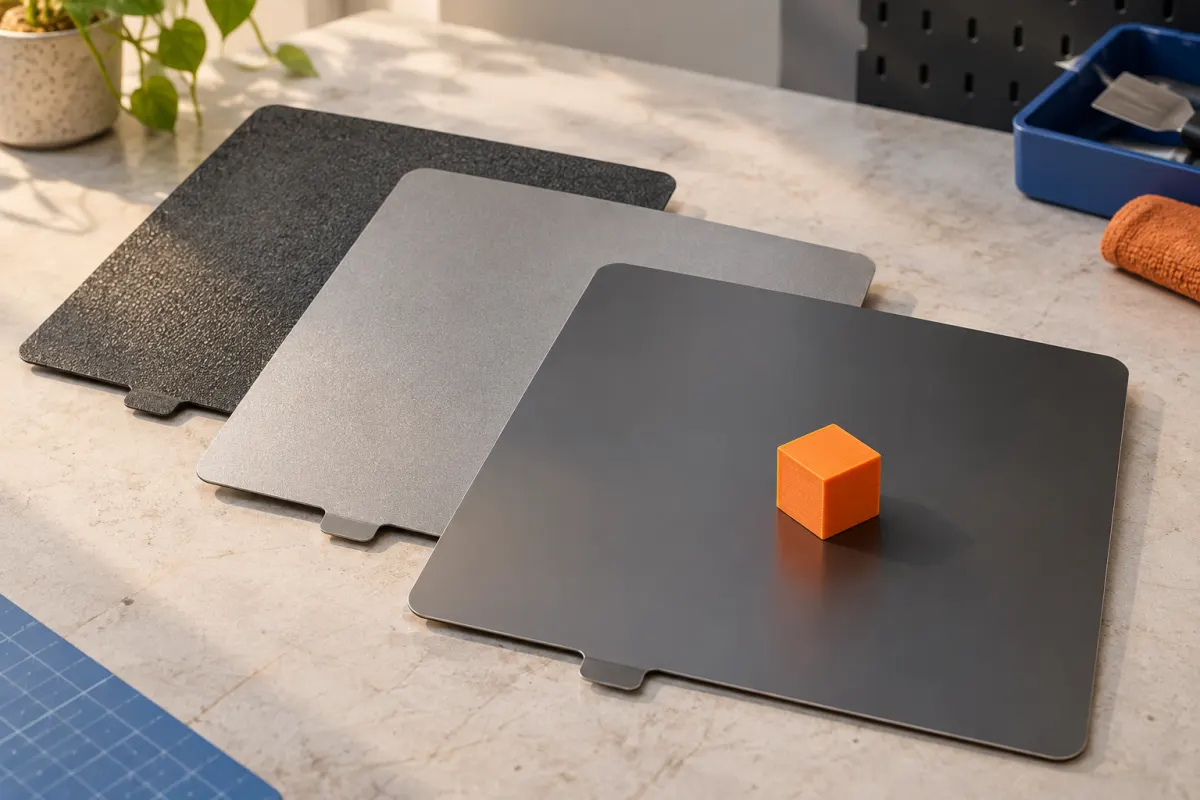
Compare two surfaces without assuming interchangeability
| Product | Reason to consider it | Important limitation |
|---|---|---|
| Bambu Textured PEI Plate | Textured bottom finish and documented support for several filament families | Material-specific glue and care requirements still apply |
| Bambu Cool Plate SuperTack | Supported PLA/PETG printing with a different adhesion system | Maker excludes TPU and cautions about some silk PLA combinations |
See the Textured PEI specifications and SuperTack instructions. These pages offer separate printer-size variants. This comparison concerns the named products, not every similarly named third-party sheet or a later SuperTack revision.
We have not verified current delivered prices or regional stock. A surface listed in another regional store can document its properties without proving it is available for delivery to your address.
Check the whole outline, not just printable area
A printer's advertised build area is not the complete plate drawing. Confirm the exact machine family, plate outline, locating features, front tabs, and any designated nozzle-wiping area. Check both the product variant and its installation images before ordering.
For example, the documented Bambu plate options distinguish the 180 × 180 mm A1 mini printing size from the 256 × 256 mm X1/P1/A1 group. Those labels do not make the plates interchangeable. Do not use the model's bed dimensions as instructions to cut a generic sheet.
Also establish whether you are buying a complete flexible steel plate, a replaceable coating sheet, or an adhesive layer. These are different jobs and may need different parts. A listing that says “PEI replacement” should be read through to the package contents.
Verify sensing, calibration, and the slicer selection
Ask how the proposed plate interacts with your printer's leveling and any plate-identification or optical calibration features. Use explicit manufacturer support for the combination; a seller saying “same size” does not answer those questions. Do not bypass an identification warning to make an uncertain purchase work.
Bambu’s Textured PEI documentation states that current firmware supports its Micro Lidar calibration process. This is a useful example of why old blanket claims about a surface can become outdated. Confirm the firmware and machine details relevant to your own setup.
Select the correct supported plate type when slicing, and follow the printer's procedure after changing surfaces. Do not transfer another plate's settings simply because both have PEI in their names. Inspect the initial layer on a short familiar print before starting a long job.
Treat cleaning and release as compatibility requirements
Read the cleaning and removal instructions before buying. SuperTack’s documented restrictions include TPU, organic cleaning solvents, and specific cautions for Bambu PLA Silk. Its removal procedure also differs from a simple “always wait until cold and flex” rule. Follow that product's current instructions.
A cleaning product already sitting beside the printer may be inappropriate for the new coating. Keep the chosen plate's instructions with its storage sleeve and label it clearly if several plates look similar.
Consider the resulting bottom texture as well as adhesion. If a visible face must match another part, a texture change may matter more than a promised convenience feature. Stronger adhesion is not automatically a better result if removing the object damages its thin features or the surface.
A matching example: one printer, two project types
Suppose an A1 mini owner prints ordinary PLA organizers and occasional TPU feet. The first purchase check is the A1 mini variant. The second is the exact filament-to-surface pairing. A SuperTack plate might serve a supported PLA job, but it cannot replace a TPU-compatible plate for that owner's entire workflow.
A sensible basket could therefore be one appropriate general-use replacement, or a specialized plate alongside the existing sound plate. It does not automatically require two new sheets. Write down which project would use each surface before adding another to the cart.
This example is a compatibility exercise, not a claim that either product will cure a particular user's failed prints. Confirm the exact manufacturer's pairing before purchase, including the filament's full product name and the plate revision.
Who should replace a plate, and who should troubleshoot?
Consider replacement for a damaged coating, an unsupported material requirement, or a deliberate change of visible finish. Consider a second matching plate when your workflow would benefit from alternating jobs and you have suitable storage. Diagnose first when an otherwise sound plate suddenly stops working.
Prusa’s first-layer guidance emphasizes surface preparation among the causes to check. Our first-layer workflow also separates profile and setup issues. For corners that lift after successful initial adhesion, use the warping guide.
Keep plates flat, protected, and identified by their exact surface and model variant. Do not count an unverified off-brand sheet as a dependable spare merely because it is inexpensive or arrives quickly.
Sources & further reading
- Bambu Lab: Textured PEI Plate specifications and care
- Bambu Lab: Cool Plate SuperTack specifications and care
- Prusa: first-layer issues
Manufacturer guidance can change. Check the instructions for your exact printer, build surface, and filament.