Keep a 0.4 mm nozzle when fine features and a familiar profile matter most. Consider a compatible 0.6 mm nozzle for larger, simpler parts after comparing supported profiles. A bigger opening alone does not guarantee a faster, stronger, or better print.
This is a researched buying and setup guide for filament printers. It compares nominal nozzle diameters, not specific products tested by 3D Adapt. High-flow design, nozzle material, and the printer's capabilities are separate purchasing decisions.
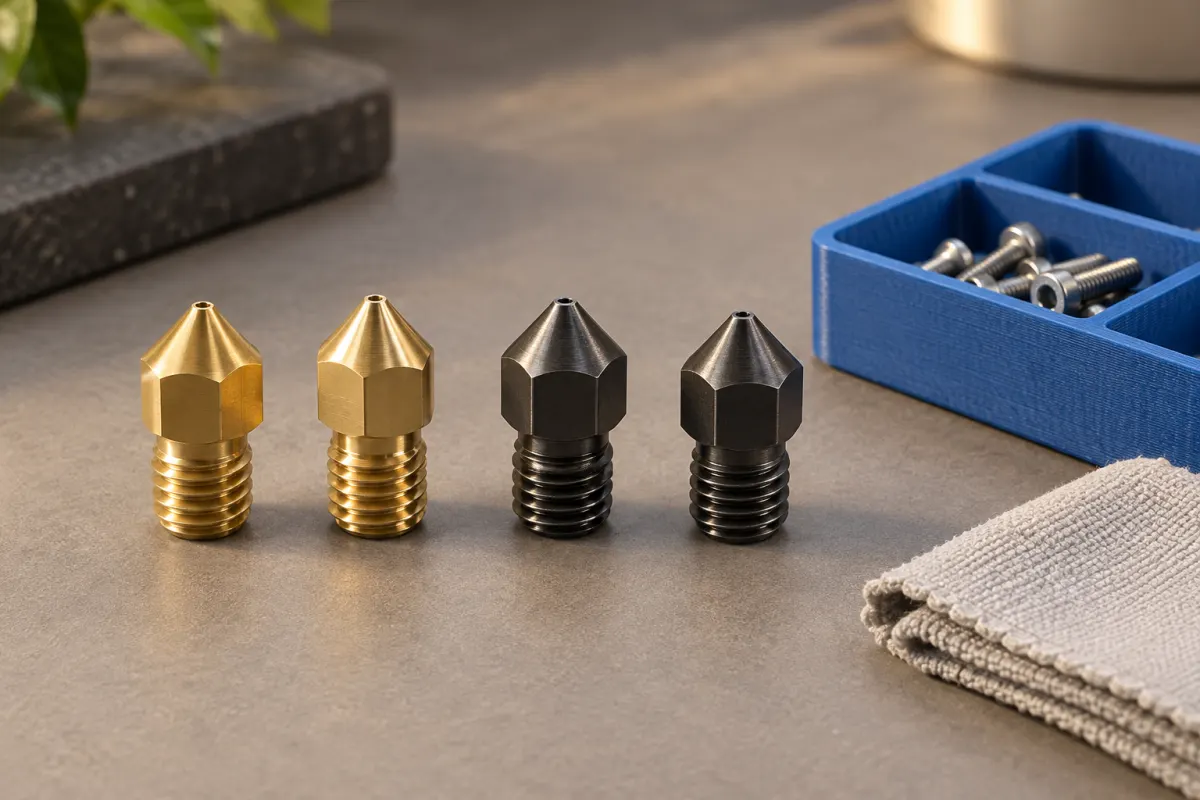
Choose around the parts you actually print
| Consideration | 0.4 mm | 0.6 mm |
|---|---|---|
| Small text and thin features | A useful baseline for finer paths | Check the sliced detail before accepting the result. |
| Large organizers and simple shapes | May already meet your time target | Worth comparing wider-line or taller-layer profiles. |
| Hardware change | Keep the established setup if already installed | Check compatibility, procedure, and profile support. |
| Filled or abrasive filament | Check the exact filament requirements | Diameter still does not establish abrasion resistance. |
Prusa’s nozzle comparison separates horizontal detail from layer height. A 0.6 mm nozzle can still print comparatively fine layers, while a 0.4 mm nozzle can use a range of heights. The opening diameter is not the layer thickness.
Understand why a larger nozzle may save time
Wider lines can cover an area with fewer paths, and supported taller layers can reduce layer count. Those are reasons to investigate a larger nozzle, not a fixed percentage saving. A small detailed model may spend much of its job slowing down around corners or waiting for cooling.
Prusa’s maximum-volumetric-speed documentation explains the competing limits: the machine must move and the hotend must melt the requested plastic. A larger opening does not remove the flow limit. Inspect both the time estimate and the flow preview using an appropriate profile.
For an original arithmetic illustration, approximate flow as width × height × speed. A hypothetical 0.45 × 0.20 mm path at 60 mm/s gives 5.4 mm³/s; a 0.65 × 0.30 mm path at the same speed gives 11.7 mm³/s. Real slicers model line shape more accurately. The example simply shows that a similar travel speed can demand much more melted plastic.
Inspect missing details before buying
Take two representative models: one large organizer and one small label or fitted part. Slice each using the printer maker's 0.4 and 0.6 mm presets if both are available. Do this as a planning exercise before installing hardware; do not send a mismatched file to the printer.
Look for lettering, thin partitions, hole edges, and narrow slots that change or disappear. Record the profile, estimated time, and grams. A useful question is “does the faster candidate still do this job?” rather than “is 0.6 always faster?”
Check the wall structure as well. Using the same count with wider extrusion can change the amount of shell material. Our walls and infill guide explains why comparing the resulting paths is better than comparing counts alone.
Match the nozzle system and material
Confirm the exact hotend or nozzle assembly, filament diameter, and supported part number. Similar-looking nozzles can belong to different systems. For example, E3D publishes a specific compatibility list for V6 nozzles, while Prusa documents an adapter for using V6 nozzles in a Nextruder. “0.6 mm” does not establish either fit.
For filled filaments, check the manufacturer's minimum opening and abrasion-resistance requirements. E3D's V6 material table distinguishes brass from abrasion-resistant variants. A larger brass nozzle remains brass; diameter is not a wear-resistance specification.
Include any required adapter, replacement seals or components, and the procedure in your buying decision. A low purchase price is less useful if the part is incompatible or has no documented setup.
Change hardware and profiles as one controlled job
Follow the machine-specific replacement instructions, including their heating or cooling requirements, tools, and calibration steps. Procedures differ between hotends; do not apply a generic hot-tightening instruction to every assembly.
Prusa’s profile guide notes that changing the nozzle-diameter field alone does not make extrusion lines wider. Prefer a complete manufacturer preset for the new nozzle. Confirm the hardware setting on the printer where applicable and check that the exported job matches it.
Re-slice existing projects instead of reusing old machine files. Begin with a small model you know, then inspect its first layer, walls, and dimensions after cooling. If the first layer fails, use the adhesion checklist before judging the nozzle diameter.
Make the switch when the benefit survives the comparison
Keep the 0.4 mm setup if most of your work depends on small details or if the proposed 0.6 mm profile saves little on your models. Try 0.6 mm when your repeat projects retain the needed features and offer worthwhile time savings in a supported setup.
After printing, compare measured outcomes with the original estimates. Record cleanup, dimensional fit, and failures, as well as completion time. Use the print-cost calculator for each job and keep the hardware purchase separate from the per-print calculation.
You do not need a collection of nozzle sizes to begin. Establish a reliable baseline first, then buy a compatible component to solve a recurring, clearly identified limitation.
Sources & further reading
- Prusa: nozzle diameter and detail
- Prusa: maximum volumetric speed
- E3D: V6 nozzle compatibility and material variants
- Prusa: Nextruder nozzle types and configuration
- Prusa: creating profiles for different nozzles
Manufacturer guidance can change. Check the instructions for your exact printer, build surface, and filament.