For ordinary PLA and PETG on an Original Prusa MK4 or MK4S, Smooth PEI is a useful PLA choice, Textured suits PETG, and Satin is a convenient option for switching between both. PETG needs particular care on Smooth PEI because excessive bonding can damage the surface.
This comparison covers genuine Prusa Smooth PEI, Textured, and Satin sheets in the correct MK4/MK4S size. It does not establish compatibility for similarly named third-party plates, filled materials, or other printer models. Use our PLA/PETG plate-compatibility finder for the same limited scope and source links.
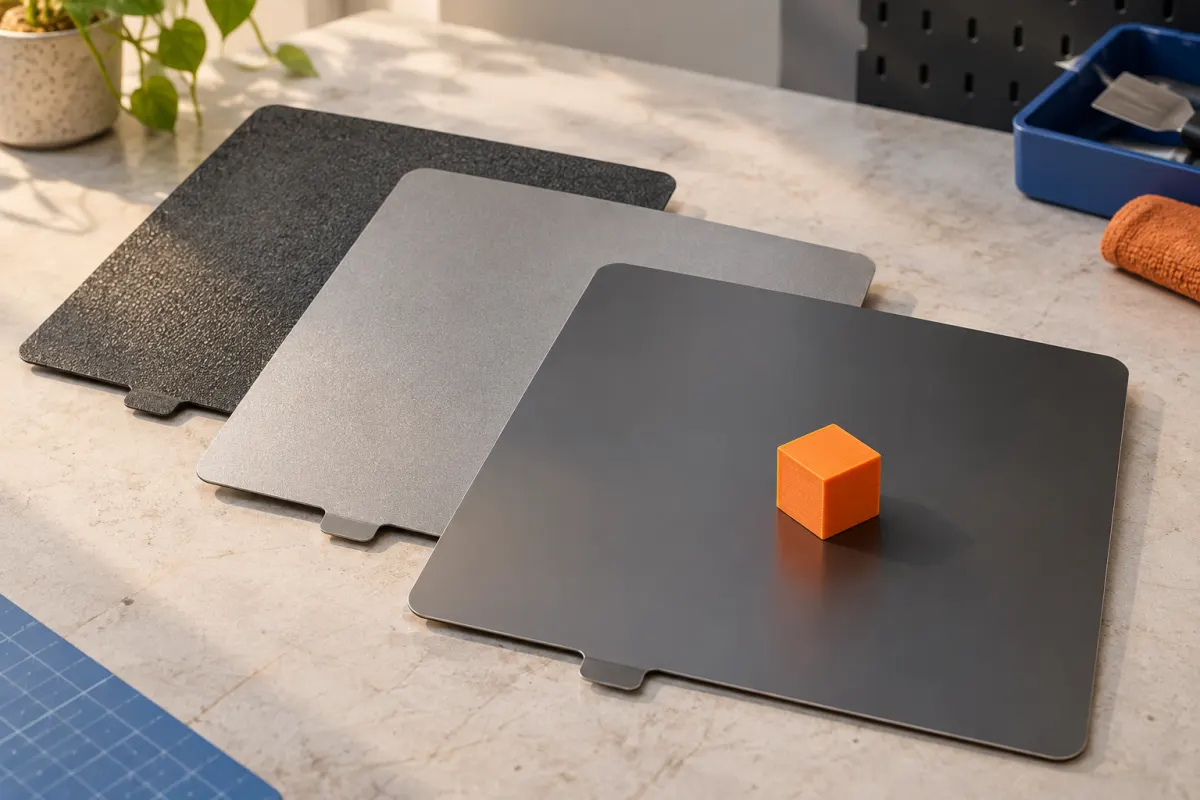
Compare adhesion and the underside finish
| Sheet | PLA starting point | PETG starting point | Underside appearance |
|---|---|---|---|
| Smooth PEI | Useful, especially with a small contact area | Use the specified protective separation layer; consider another sheet | Smooth |
| Textured | Possible; small footprints can need additional adhesion planning | A suitable general starting choice | Pronounced texture |
| Satin | Suitable general starting choice | Suitable general starting choice | Fine, subdued texture |
This table summarizes Prusa’s Smooth, Textured, and Satin sheet guides. It is a starting decision, not a promise that any geometry will adhere. Recheck the material compatibility table for your exact material and surface preparation.
Smooth PEI: useful adhesion, with a PETG caveat
The genuine Smooth sheet uses PEI film on spring steel. Prusa identifies it as a useful PLA surface, including for shapes with small contact areas. The finish transferred to the underside is visibly different from the powder-coated alternatives.
Prusa warns that PETG can bond too strongly and damage the sheet during removal. The required separation layer is about protecting the surface, not simply making the part stick harder. Follow the specified preparation before printing, rather than trying to solve excessive adhesion after the part has cooled.
If you mostly make small PLA pieces, keeping a properly maintained Smooth sheet is a straightforward starting choice. If you regularly change to PETG, compare the extra preparation with using a compatible Satin or Textured sheet.
Textured: choose it for the material and the visible face
Prusa describes its Textured sheet as a good match for PETG and notes that small PLA prints may need a brim. The surface leaves a coarser texture on the contacting face than Satin.
Ask whether that underside will be hidden, visible, or part of a mating surface. A textured base may be exactly the look you want for a case. For a fitted part, include the surface in a small test rather than assuming every plate produces identical contact.
A brim is a design and slicing choice to inspect in preview, not a universal requirement for all PLA on this sheet. If a part has tiny separate feet, consider whether a different suitable sheet or orientation would simplify the job before increasing first-layer pressure.
Satin: a practical shared surface for PLA and PETG
The Satin guide lists both PLA and PETG as suitable and describes a fine textured finish. That makes it a useful candidate when alternating between those two materials without choosing a surface solely for one of them.
It does not remove the need to clean the plate, choose a matching profile, or examine the first layer. Small footprints can still need attention. “Works with both” should mean a convenient, supported workflow, not “every part prints without checking.”
For an illustrative two-project routine, you might use Satin for a PLA organizer and a PETG holder, then choose Smooth for a later PLA model with very little bed contact. The geometry and desired underside still help determine the choice.
Change sheets with a short setup check
- Confirm the replacement is the genuine sheet and size covered by these instructions.
- Check its material compatibility and any required separation layer before loading the job.
- Make sure the sheet sits correctly and that its underside and heatbed are free of debris.
- Select the correct printer, filament, and applicable surface settings in the supported slicer workflow.
- Watch a small first layer before committing to a large print.
Follow MK4/MK4S setup instructions rather than copying manual Live-Z values from an older printer. A troubleshooting instruction written for a different bed-sensing system may not apply to yours. If lines detach or the nozzle drags material, stop and use the first-layer checklist.
Follow the exact sheet's care and removal instructions
Prusa's sheet guides specify cleaning appropriate to each surface. In particular, Satin and Textured must not be cleaned with acetone. Do not transfer a chemical or abrasive maintenance method from a Smooth-sheet guide to a powder-coated surface.
Allow the print and plate to cool and use the documented removal method. If a part resists removal, do not escalate immediately to a sharp scraper or forceful bending. Recheck whether the material needed a separation layer and consult the sheet's instructions.
Keep a note of sheet type, side used, filament grade, preparation, and the result for difficult jobs. Surface choice is only one part of the process: material selection, geometry, and profile remain important. When comparing PLA finishes, remember to inspect the underside separately from the outer walls; the plate can make those faces look quite different.
Sources & further reading
- Prusa: Smooth Steel Sheet
- Prusa: Textured steel sheet
- Prusa: Satin steel sheet
- Prusa: filament and build-surface compatibility
Manufacturer guidance can change. Check the instructions for your exact printer, build surface, and filament.