Buy a replaceable swivel-blade tool for accessible edges you repeatedly trim; consider a ceramic scraper for light flash and surface cleanup. Noga S Promo Set NG8150, disposable Cera-Cut CR1100, and replaceable-blade Convexed Cera-Cut CR2000 cover different tasks.
These candidates are supported by manufacturer descriptions, not our own finish or durability tests. Start with the actual defect and access available. A finishing kit will not automatically remove layer lines, restore a dimension, or correct a printing problem that affects every part.
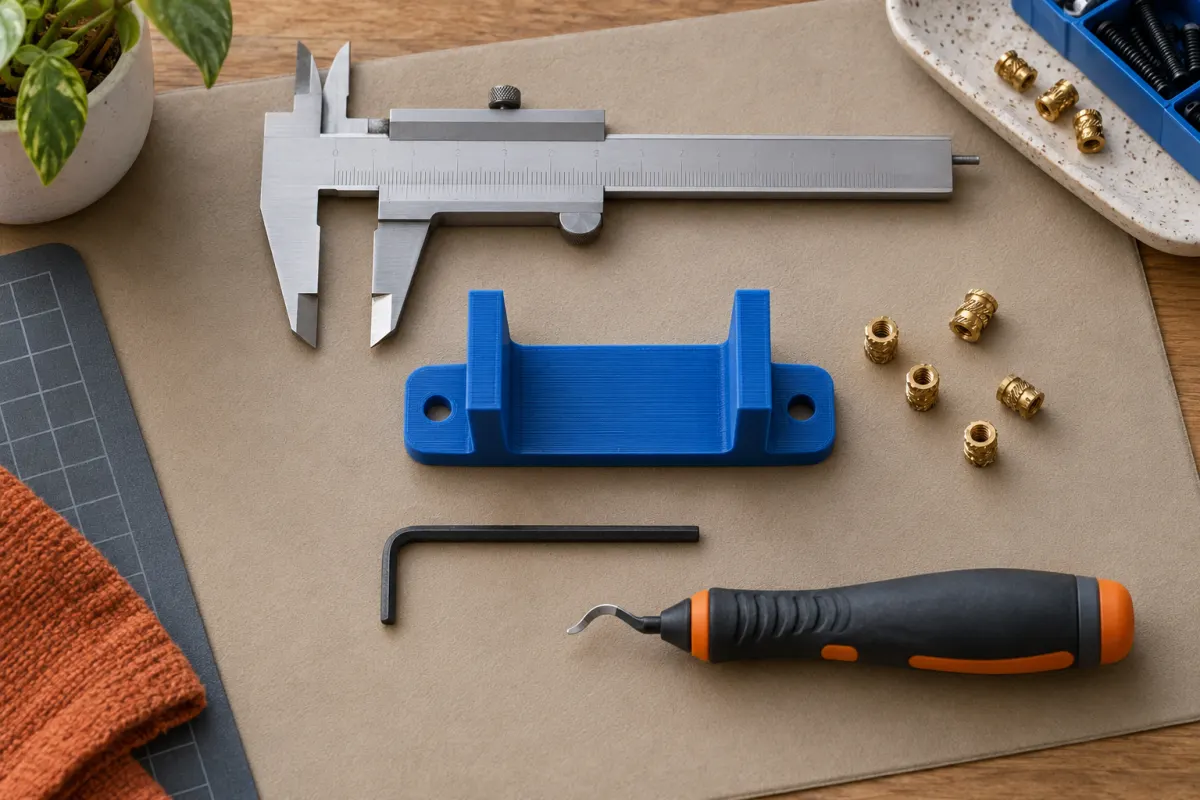
Compare the cutting action and replacement model
| Tool | Documented arrangement | Best question before buying |
|---|---|---|
| Noga S Promo Set NG8150 | NG1 handle with ten S10 blades | Do I repeatedly trim accessible edges? |
| Noga Cera-Cut CR1100 | Disposable tool with convex ceramic blade | Would a dedicated light scraper cover occasional cleanup? |
| Noga Convexed Cera-Cut CR2000 | Replaceable ceramic blade for surface scraping and parting-line flash | Will replacement blades make sense for repeated work? |
The S Promo Set, Cera-Cut, and Convexed Cera-Cut listings identify those differences. Their manufacturers describe use on plastics, but they do not supply a guaranteed finish for every 3D-printed polymer.
We have not verified current delivered prices. Compare the handle, included blades, and replacement path rather than the number of pieces in a generic kit.
Check the listing for the exact Noga NG8150 tool, included blades, seller, and current purchase terms.
We may earn a commission if you buy through links marked “paid link.” How our links work. As an Amazon Associate I earn from qualifying purchases.
View Noga NG8150 on Amazon (paid link)Choose for an edge or a face
An edge tool follows an accessible boundary. A scraper works on a small surface or line of flash. Neither category is a universal support-removal tool. If the problem is a thick support branch trapped inside a model, first consider whether the support strategy or orientation should change.
Inspect the part and name the target: a thin brim remnant, a sharp outer lip, a small surface ridge, or an inaccessible internal feature. Choose the smallest operation that removes unwanted material without changing a locating face.
For a cosmetic surface, try the process on a discarded sample of the same material and color. Removing material can change gloss or expose a different-looking surface. A smoother area may still be more visible than the original defect, particularly on decorative silk prints.
Check blade fit and cutting direction
The Noga S10 specification identifies its blade as suitable for steel, aluminum, and plastic and describes clockwise cutting for right-handed use. Do not assume every swivel blade cuts equally well in either direction or suits every user's working position.
Match replacement blades to the handle's supported family. A bag of blades advertised as “deburring blades” may have a different shank, working geometry, or intended material. Keep the exact blade code in the tool drawer so reordering does not depend on appearance.
Before purchasing, check whether the tool can reach the intended edge while your hand and the part remain in a stable position. An awkward internal corner is not a reason to force a larger blade into place. Change the tool approach or the model instead.
A matching example: a lid with a thin lower lip
Imagine a hypothetical lid with a small unwanted lip around its bottom edge, while the vertical wall provides the actual fit. An accessible outer lip may suit a controlled edge-trimming tool. Mark the surfaces that must remain unchanged before removing anything.
Check the fit after a small amount of work. Do not scrape the entire mating wall merely because the lid is tight. If the printed opening or wall is undersized throughout its height, removing one edge may not solve the underlying mismatch.
If the same bottom lip appears on every print, investigate elephant’s foot and the design before buying more finishing equipment. A repeated defect may be cheaper to address in the process than by trimming every completed object.
Plan blade replacement and handling
Disposable and replaceable are meaningful buying differences. When a CR1100 wears, its stated product model is replacement of the tool. With a CR2000, check availability and cost of the matching replacement blade. Do not assume all ceramic tools share a blade or sharpening procedure.
Secure the work, keep hands clear of the cutting path, and follow the tool maker's handling instructions. Use appropriate eye protection when cutting or removing fragments. Ceramic does not mean harmless, and a blade suitable for plastic is not an invitation to apply unlimited force.
Store tools so exposed edges cannot contact loose hardware or your hands while reaching into a drawer. Include replacement consumables and storage in the basket if the tool will be used regularly.
Who should buy which option?
Choose the S Promo Set if many projects have reachable perimeter edges and the specified blade suits your handling. Consider CR1100 for an occasional, clearly defined scraping job. Consider CR2000 when the same scraping task recurs and you want a replaceable-blade system.
Skip a large finishing bundle when most prints already meet your needs, or when the visible defect is really orientation, support placement, or fit. Our support guide helps reduce cleanup at the source; calipers help check whether trimming is changing a needed dimension.
Choose one tool for a known task, keep a before-and-after sample, and record which surfaces it altered. That provides a better basis for the next purchase than an unsupported promise that one kit makes every print look molded.
Sources & further reading
Manufacturer guidance can change. Check the instructions for your exact printer, build surface, and filament.