Choose a dryer to remove absorbed moisture; choose dry storage to keep a prepared spool from taking up more. Some products perform both jobs, but a box with desiccant is not automatically an active filament dryer.
For a beginner with a few well-behaved PLA spools, a sensible storage routine may be the first improvement. If a material requires drying, or a controlled comparison points to moisture, choose equipment that can follow that exact filament's instructions. This guide compares functions and buying criteria, not results from our own product tests.
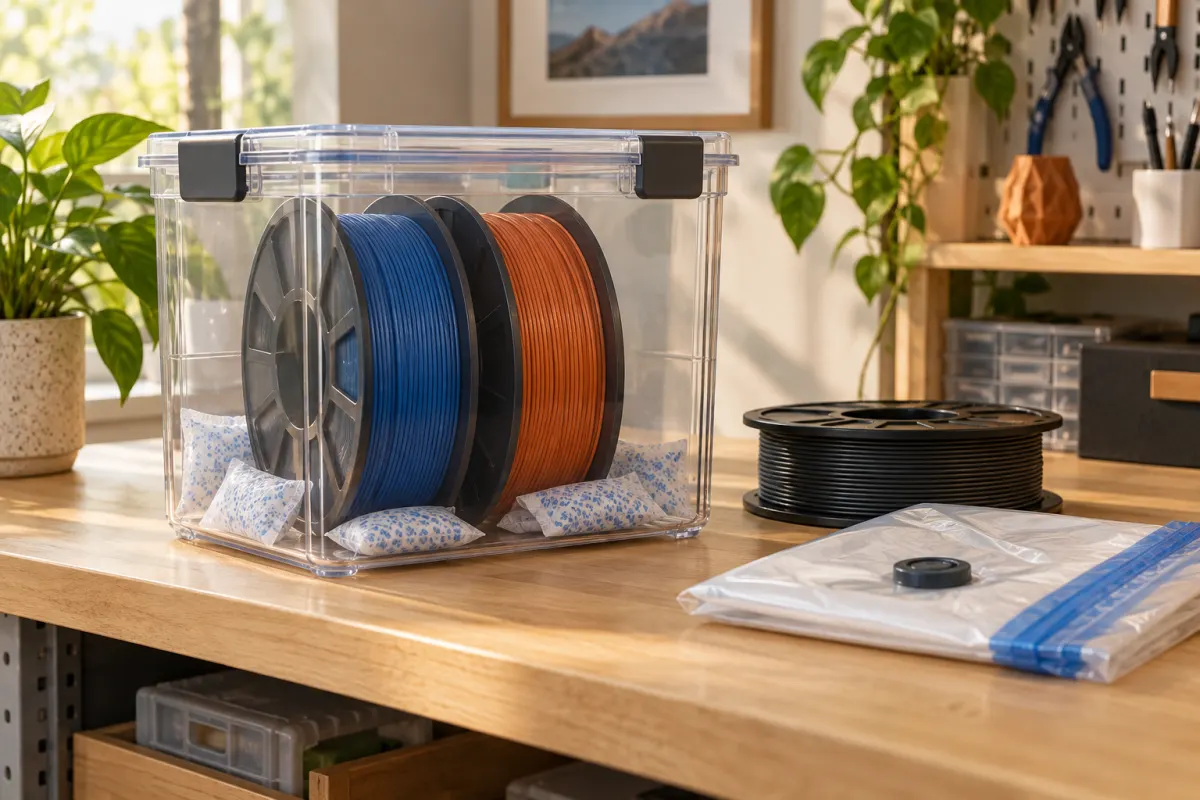
Drying and storage solve different problems
A dry box limits exposure to humid air, usually with a seal and desiccant. An active dryer provides a controlled drying process, commonly involving heat and airflow. Product names can blur the distinction: read what the unit actually does with the power off and on.
The PolyBox manual explicitly tells users to put fully dried filament into the box. By comparison, Polymaker describes PolyDryer as a drying system with detachable storage boxes. These are examples of different functions, not a recommendation to buy either product.
| Your situation | Function to look for | What to verify |
|---|---|---|
| Spools print well, but sit open between projects | Sealed dry storage | Usable capacity, closure, desiccant maintenance |
| A spool needs the maker’s specified drying procedure | Active drying | Suitable temperature, duration, and spool limits |
| Material needs protection throughout a long print | Dry feeding during printing | Supported feed path and operating procedure |
| Several colors need storage, one at a time needs drying | Separate storage plus a shared dryer, or a modular system | Total cost and transfer routine |
Start with the instructions on your spool
Write down the exact material, brand, grade, and spool version before shopping. A dryer that is adequate for one PLA product may not meet the requirements of another material. A high maximum temperature alone tells you little about control at the lower setting you need.
Prusa’s drying guidance distinguishes material settings from spool construction and warns that excess heat can soften filament or damage its winding. Check both limits. Follow the filament maker's duration and the dryer's operating instructions; increasing heat to finish faster is not a dependable shortcut.
If the instructions conflict or do not cover your spool, ask the manufacturer for a supported procedure. Do not improvise a household-oven method from a generic online temperature chart.
Compare six practical features
- Usable internal space: compare the loaded spool's outer diameter and width with the product's limits.
- Control: check the supported setting range, timer, and what happens when a cycle ends.
- Moisture management: read the ventilation or desiccant instructions for the particular design.
- Feed arrangement: check outlet location, tube routing, and whether printing during drying is supported.
- Storage mode: establish whether the closed unit provides dry storage after heating stops.
- Maintenance: price replacement desiccant and identify how seals, rollers, and sensors are maintained.
SUNLU’s S1 Plus description includes a circulating fan as a drying feature. That is a useful specification to investigate, but a manufacturer feature description is not an independent comparison of drying performance. Avoid ranking units solely by wattage or the biggest advertised number.
Use the display as a monitor, not a verdict
A box hygrometer reports the air around its sensor. It is not a measurement taken inside the filament. Record when the reading was taken, whether the heater was operating, and whether you had just opened the lid. A single low reading should not replace the specified drying cycle or a repeat print.
The PolyBox manual separately specifies its hygrometer's range and accuracy and its storage procedure. Treat those as model-specific details. There is no reason to impose one product's display threshold on every dryer, room, or filament.
For a purchase comparison, ask a more useful question: can you follow the instructions consistently and check whether your prints improve? Our wet-filament diagnostic workflow helps make that comparison.
A simple capacity example
Suppose you own six colors, print one color at a time, and only occasionally need to dry a spool. That does not automatically call for six powered drying positions. Compare one suitable dryer plus six storage spaces with a system that keeps each spool in its own detachable box.
Make a small inventory: material, spool dimensions, storage location, and the next planned project. If three spools must feed one job simultaneously, the decision changes: drying capacity and protected feeding capacity become separate requirements. Measure the desk area and access needed to load the unit, too.
Use our spool compatibility checklist before buying. A stated “1 kg capacity” describes a common spool class, not every possible reel shape.
Make the routine worth the purchase
Label the spool and save its original profile. Follow the approved drying procedure when needed, then repeat a small troublesome print without changing the slicer settings. Record the result and return the spool to dry storage. A consistent routine is easier to evaluate than repeatedly drying while also changing temperature and retraction.
Include containers, desiccant, space, and electricity when comparing total ownership cost. For an individual job, the printing cost calculator estimates printer electricity from your inputs; drying electricity is a separate expense unless you deliberately include it in your accounting. Buy the missing function in your workflow, rather than assuming every beginner needs the largest dryer.
Sources & further reading
- Polymaker: PolyBox operating manual
- Polymaker: PolyDryer drying and storage system
- Prusa: drying filament and Prusament spool limits
- SUNLU: FilaDryer S1 Plus specifications
Manufacturer guidance can change. Check the instructions for your exact printer, build surface, and filament.